> ## Documentation Index
> Fetch the complete documentation index at: https://docs.kipmox.com/llms.txt
> Use this file to discover all available pages before exploring further.
# AI Models
> Use the default model, or choose the AI model kipmox uses for your fixes.
kipmox runs on AI models tuned for Salesforce — Apex, LWC, SOQL, metadata, governor limits, and the sharing model. Which model you can use depends on your plan.
## Free — default model
On the **Free** plan, kipmox uses a fast default model for every fix. There's nothing to configure — it just works.
## Pro — choose your model
On **Pro**, a model picker appears in the panel header. Pick the model kipmox uses to generate fixes:
* A faster model for quick, everyday fixes
* A higher-capability model for complex debugging and reasoning
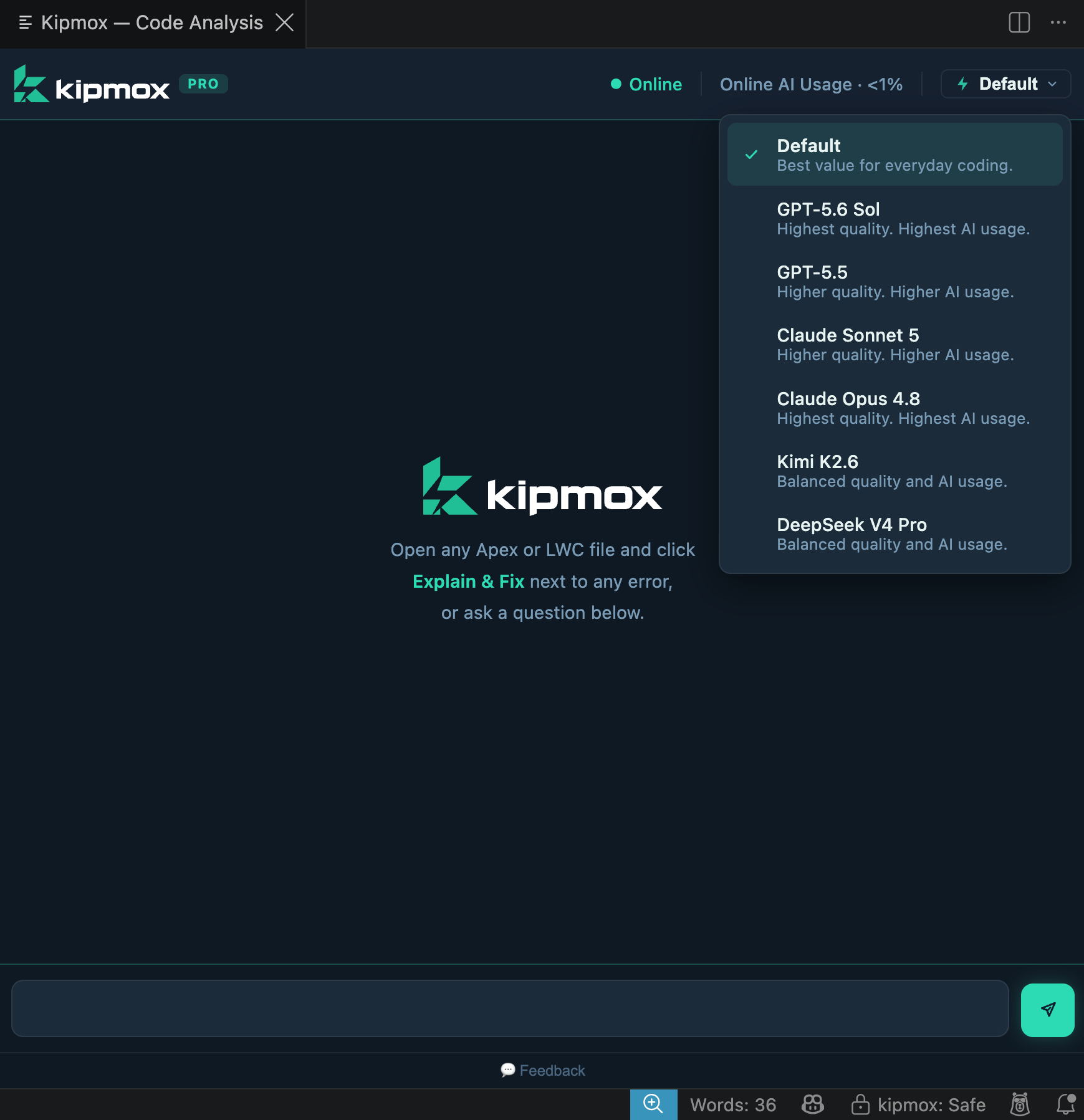 **The available models change over time.** The models shown here are examples — kipmox regularly adds newer models and retires older ones, so your picker may differ from this screenshot. Open the picker in VS Code to see the current list.
Your choice is remembered across sessions. You can switch at any time.
## Enterprise — governed selection
On **Enterprise**, your administrator decides which models are available to your team and sets the default. You choose from the models your admin has enabled — see [AI & Data Governance](/enterprise/ai-and-data-governance).
## Offline model
With [Offline Mode](/configuration/offline-mode) (Pro), kipmox runs a **local** model on your own machine instead of the cloud — your code never leaves your computer. When you set it up, kipmox **recommends a model based on your computer's specs** (RAM and disk space) — and if you already have a compatible model downloaded, it uses that. See [Offline Mode](/configuration/offline-mode) for the guided setup and the model options. This is separate from the online model picker above.
Run kipmox fully local with no code leaving your machine
What each plan includes
**The available models change over time.** The models shown here are examples — kipmox regularly adds newer models and retires older ones, so your picker may differ from this screenshot. Open the picker in VS Code to see the current list.
Your choice is remembered across sessions. You can switch at any time.
## Enterprise — governed selection
On **Enterprise**, your administrator decides which models are available to your team and sets the default. You choose from the models your admin has enabled — see [AI & Data Governance](/enterprise/ai-and-data-governance).
## Offline model
With [Offline Mode](/configuration/offline-mode) (Pro), kipmox runs a **local** model on your own machine instead of the cloud — your code never leaves your computer. When you set it up, kipmox **recommends a model based on your computer's specs** (RAM and disk space) — and if you already have a compatible model downloaded, it uses that. See [Offline Mode](/configuration/offline-mode) for the guided setup and the model options. This is separate from the online model picker above.
Run kipmox fully local with no code leaving your machine
What each plan includes