> ## Documentation Index
> Fetch the complete documentation index at: https://docs.kipmox.com/llms.txt
> Use this file to discover all available pages before exploring further.
# Introduction
> The AI developer platform for Salesforce — analyse, fix, document, and deploy, right inside VS Code.
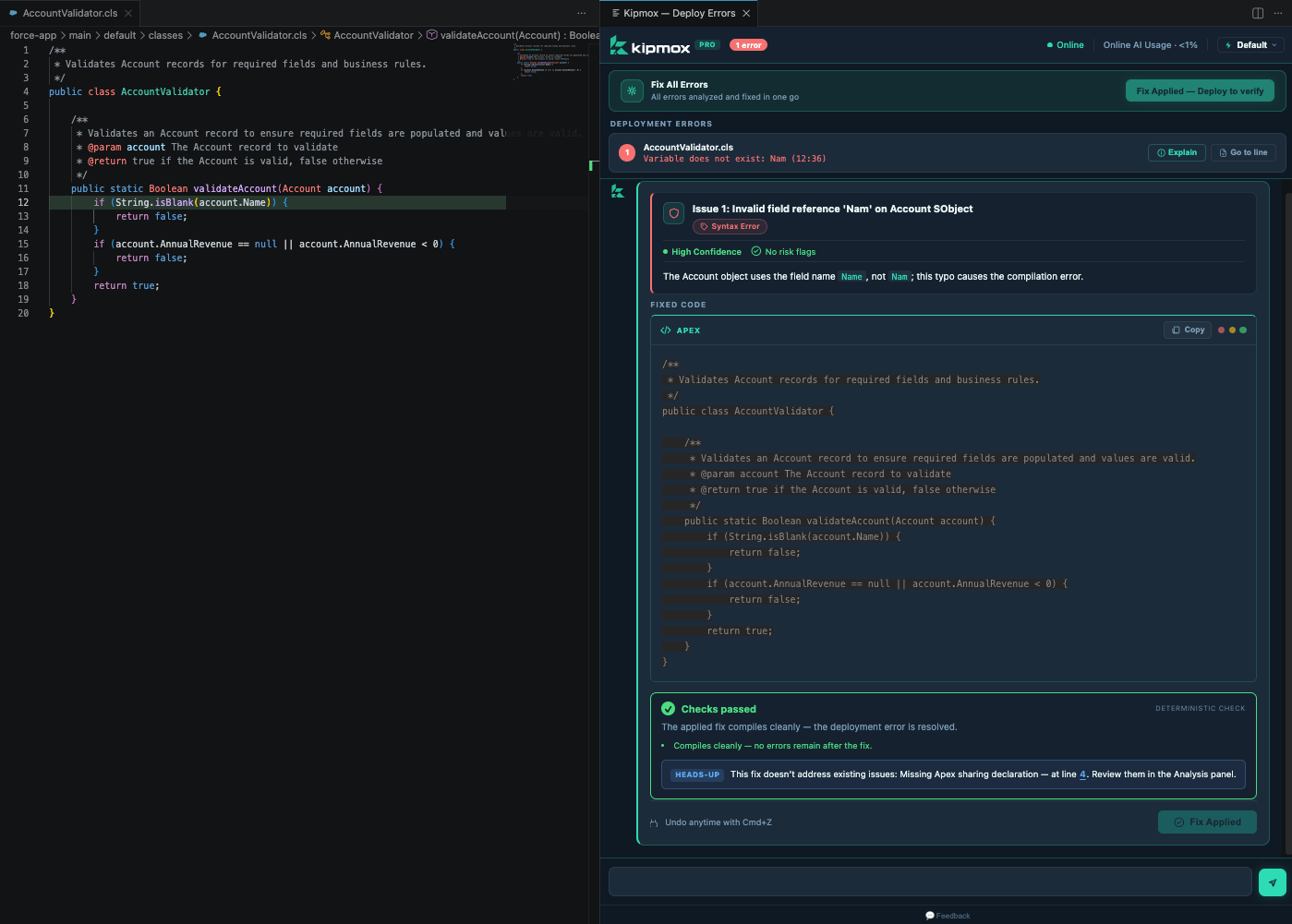
kipmox is a VS Code extension built specifically for Salesforce developers. When a deployment fails, kipmox opens automatically, analyses every error, and generates a fix for each — without leaving your editor or opening a browser tab.
It also analyses your code as you write, catching governor limit violations, security issues, and LWC mistakes before you ever hit deploy — and documents any class, trigger, or component in one click.
## Who it's for
kipmox is built for Salesforce developers working with:
* **Apex** — classes, triggers, batch jobs
* **Lightning Web Components** — JavaScript controllers, HTML templates
* **Both** — the same AI engine handles Apex and LWC errors
## What it does
Deploy fails? kipmox opens automatically, explains every error, and generates a fix for each.
Catches SOQL in loops, DML violations, Locker Service issues, and more — on every save, before you deploy.
Turn any Apex class, trigger, or LWC into a clear technical document — one click, straight from the source.
Run fully local with Ollama — your code never leaves your machine.
## How fixes work
Every fix kipmox generates comes with:
| | |
| ---------------- | ---------------------------------------------------------------------------------------------------------------------------------------------------------------------------- |
| **Confidence** | High, Medium, or Low — how sure kipmox is that the fix is correct |
| **Risk** | A plain-English note on what to double-check before you apply — for example, "changes execution order, verify dependent logic" — or *Safe fix* when there's nothing to watch |
| **What Changed** | A plain-English summary of exactly what was modified, and why |
You stay in control: kipmox shows the full corrected code (sometimes the whole file, sometimes just the affected part) for you to review. On **Free**, copy it and apply it to your file. On **Pro**, click **Apply Fix** to apply it in one click — or turn on **Auto Fix Mode** to apply fixes automatically. See [How Fixes Are Verified](/trust/how-fixes-are-verified) for the checks kipmox runs.
## How documentation works
Select any Apex class, trigger, or LWC and run **kipmox: Explain this code**. kipmox reads the structure straight from your source, then writes a clear document — overview, key methods, and dependencies. Because the facts come from your code, the document stays accurate.
See how documentation works in detail
## Plans
| | Free | Pro | Enterprise |
| ------------------------------------------- | ------------ | ------------- | ---------- |
| Deployment-error fixes | 15 / 4 hours | Never blocked | No limits |
| Code documents | 2 / 4 hours | Never blocked | No limits |
| Explain & Fix (view fix + copy) | ✓ | ✓ | ✓ |
| One-click Apply Fix | — | ✓ | ✓ |
| Code analysis & verification | ✓ | ✓ | ✓ |
| Bulk Fix All · Auto Fix Mode · model choice | — | ✓ | ✓ |
| Offline Mode | — | ✓ | ✓ |
| Enterprise AI on AWS Bedrock · governance | — | — | ✓ |
**Pro** — \$24.99/month or \$19.99/month billed yearly. Upgrade at [kipmox.com](https://kipmox.com/#pricing), or see [Plans & Limits](/help/plans-and-limits) for the full breakdown.
 Install kipmox from the VS Code Marketplace